



Never miss a lead again.
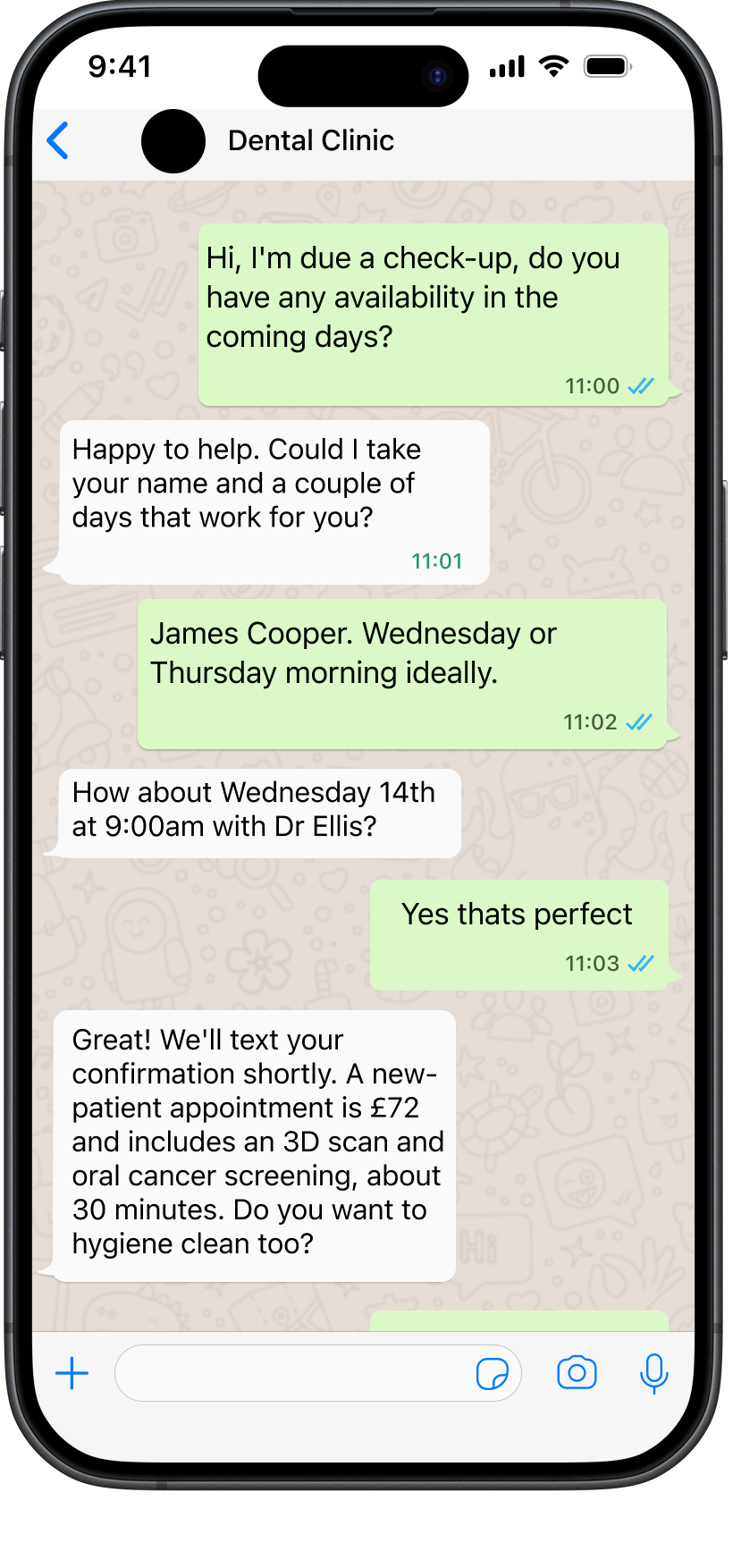
More customers, less admin. Enchat handles customer enquiries across multiple channels, captures the details you need, and routes customers to the right outcome - booked, paid or handed over.


ABOUT US
An automated experience
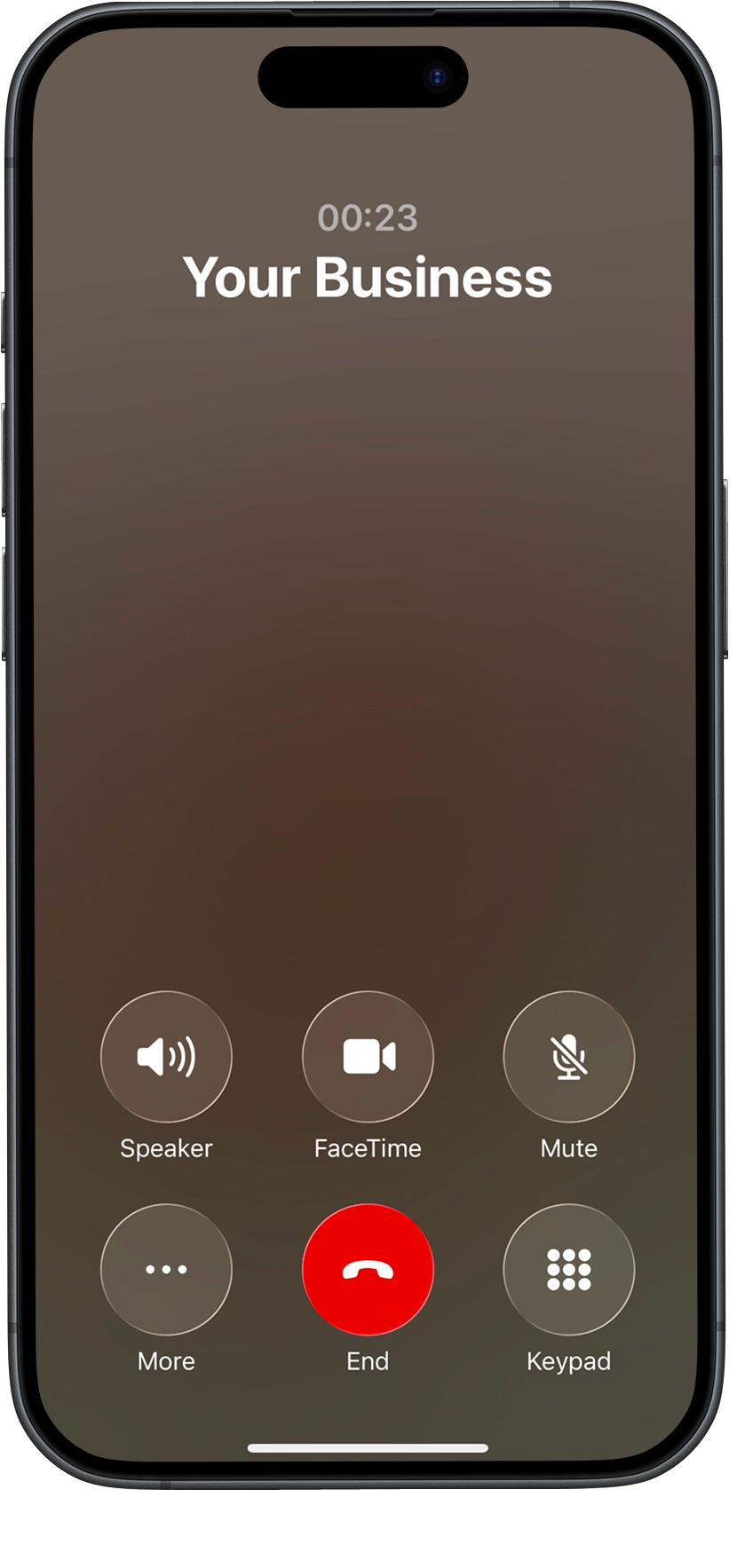
Never miss a call, ever.
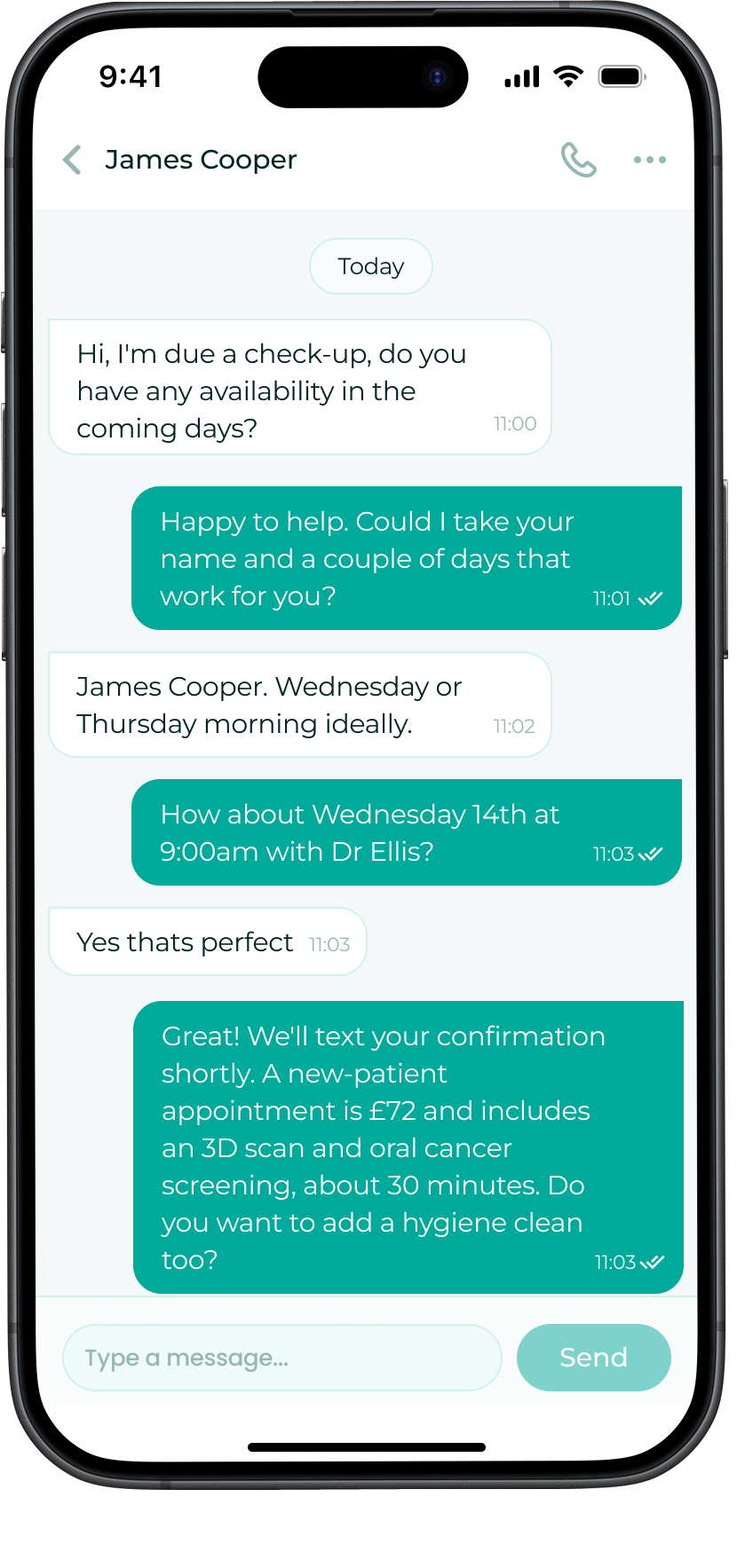
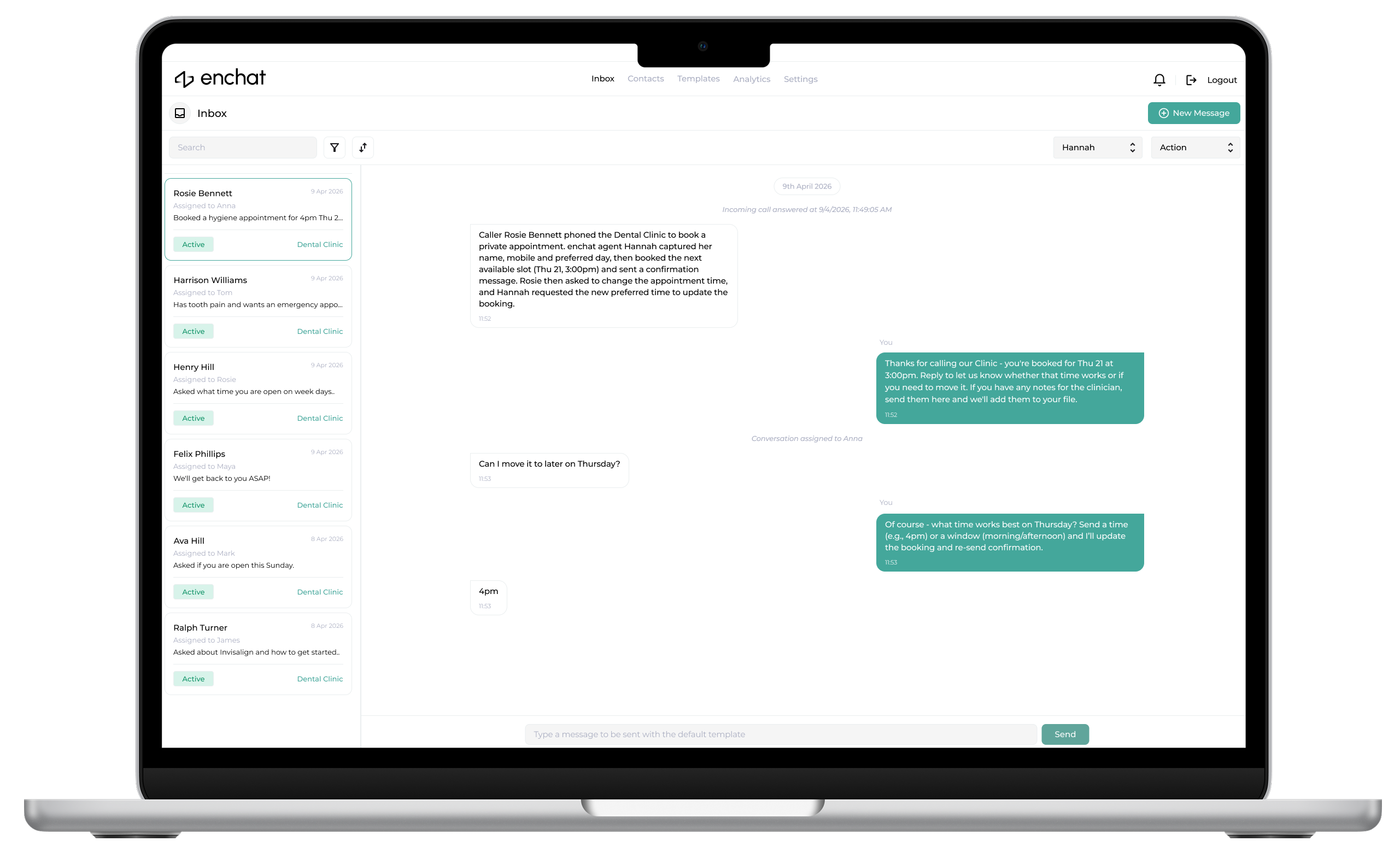
All of your client communication platforms, merged
into a single unified inbox.
All of your client communication platforms, merged
into a single unified inbox.
Average opportunity cost to SmB's
annually from missed enquiries
£
£
,000
STEP
01
SETUP & CONNECT
Connect your channels
Link your phone number and WhatsApp. We map your FAQs, booking rules, and tone of voice so replies feel like your practice - not a generic bot.
STEP
02
ROUTE & CAPTURE
Qualify every enquiry
EnChat asks the right questions, captures key details, and tags urgency. Every lead is logged with context so nothing disappears into missed calls or scattered messages.
STEP
03
BOOK & CONFIRM
Automate bookings and reminders
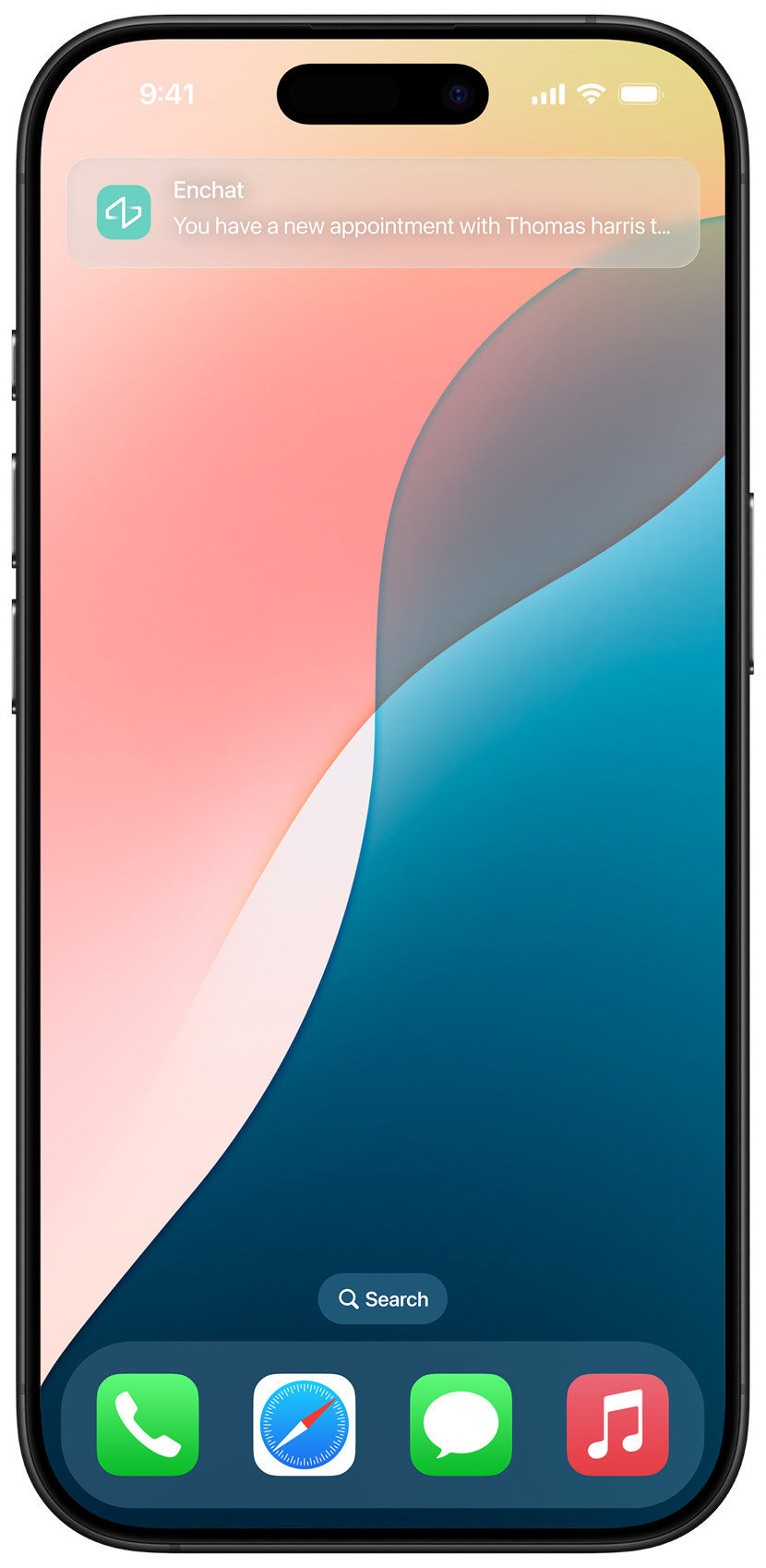
Appointments can be created in your calendar or CRM automatically. EnChat sends confirmations, reminders, and follow-ups to reduce no-shows and admin chasing.
STEP
04
CONTROL & HANDOVER
One inbox, with human takeover
Manage everything from one timeline. When something unusual comes in, your team can take over instantly - with a clean summary of what happened so far.
STEP
01
SETUP & CONNECT
Connect your channels
Link your phone number and WhatsApp. We map your FAQs, booking rules, and tone of voice so replies feel like your practice - not a generic bot.
STEP
02
ROUTE & CAPTURE
Qualify every enquiry
EnChat asks the right questions, captures key details, and tags urgency. Every lead is logged with context so nothing disappears into missed calls or scattered messages.
STEP
03
BOOK & CONFIRM
Automate bookings and reminders
Appointments can be created in your calendar or CRM automatically. EnChat sends confirmations, reminders, and follow-ups to reduce no-shows and admin chasing.
STEP
04
CONTROL & HANDOVER
One inbox, with human takeover
Manage everything from one timeline. When something unusual comes in, your team can take over instantly - with a clean summary of what happened so far.
STEP
01
SETUP & CONNECT
Connect your channels
Link your phone number and WhatsApp. We map your FAQs, booking rules, and tone of voice so replies feel like your practice - not a generic bot.
STEP
02
ROUTE & CAPTURE
Qualify every enquiry
EnChat asks the right questions, captures key details, and tags urgency. Every lead is logged with context so nothing disappears into missed calls or scattered messages.
STEP
03
BOOK & CONFIRM
Automate bookings and reminders
Appointments can be created in your calendar or CRM automatically. EnChat sends confirmations, reminders, and follow-ups to reduce no-shows and admin chasing.
STEP
04
CONTROL & HANDOVER
One inbox, with human takeover
Manage everything from one timeline. When something unusual comes in, your team can take over instantly - with a clean summary of what happened so far.
STEP
01
SETUP & CONNECT
Connect your channels
Link your phone number and WhatsApp. We map your FAQs, booking rules, and tone of voice so replies feel like your practice - not a generic bot.
STEP
02
ROUTE & CAPTURE
Qualify every enquiry
EnChat asks the right questions, captures key details, and tags urgency. Every lead is logged with context so nothing disappears into missed calls or scattered messages.
STEP
03
BOOK & CONFIRM
Automate bookings and reminders
Appointments can be created in your calendar or CRM automatically. EnChat sends confirmations, reminders, and follow-ups to reduce no-shows and admin chasing.
STEP
04
CONTROL & HANDOVER
One inbox, with human takeover
Manage everything from one timeline. When something unusual comes in, your team can take over instantly - with a clean summary of what happened so far.
STEP
01
SETUP & CONNECT
Connect your channels
Link your phone number and WhatsApp. We map your FAQs, booking rules, and tone of voice so replies feel like your practice - not a generic bot.
STEP
02
ROUTE & CAPTURE
Qualify every enquiry
EnChat asks the right questions, captures key details, and tags urgency. Every lead is logged with context so nothing disappears into missed calls or scattered messages.
STEP
03
BOOK & CONFIRM
Automate bookings and reminders
Appointments can be created in your calendar or CRM automatically. EnChat sends confirmations, reminders, and follow-ups to reduce no-shows and admin chasing.
STEP
04
CONTROL & HANDOVER
One inbox, with human takeover
Manage everything from one timeline. When something unusual comes in, your team can take over instantly - with a clean summary of what happened so far.
STEP
01
SETUP & CONNECT
Connect your channels
Link your phone number and WhatsApp. We map your FAQs, booking rules, and tone of voice so replies feel like your practice - not a generic bot.
STEP
02
ROUTE & CAPTURE
Qualify every enquiry
EnChat asks the right questions, captures key details, and tags urgency. Every lead is logged with context so nothing disappears into missed calls or scattered messages.
STEP
03
BOOK & CONFIRM
Automate bookings and reminders
Appointments can be created in your calendar or CRM automatically. EnChat sends confirmations, reminders, and follow-ups to reduce no-shows and admin chasing.
STEP
04
CONTROL & HANDOVER
One inbox, with human takeover
Manage everything from one timeline. When something unusual comes in, your team can take over instantly - with a clean summary of what happened so far.
STEP
01
SETUP & CONNECT
Connect your channels
Link your phone number and WhatsApp. We map your FAQs, booking rules, and tone of voice so replies feel like your practice - not a generic bot.
STEP
02
ROUTE & CAPTURE
Qualify every enquiry
EnChat asks the right questions, captures key details, and tags urgency. Every lead is logged with context so nothing disappears into missed calls or scattered messages.
STEP
03
BOOK & CONFIRM
Automate bookings and reminders
Appointments can be created in your calendar or CRM automatically. EnChat sends confirmations, reminders, and follow-ups to reduce no-shows and admin chasing.
STEP
04
CONTROL & HANDOVER
One inbox, with human takeover
Manage everything from one timeline. When something unusual comes in, your team can take over instantly - with a clean summary of what happened so far.
STEP
01
SETUP & CONNECT
Connect your channels
Link your phone number and WhatsApp. We map your FAQs, booking rules, and tone of voice so replies feel like your practice - not a generic bot.
STEP
02
ROUTE & CAPTURE
Qualify every enquiry
EnChat asks the right questions, captures key details, and tags urgency. Every lead is logged with context so nothing disappears into missed calls or scattered messages.
STEP
03
BOOK & CONFIRM
Automate bookings and reminders
Appointments can be created in your calendar or CRM automatically. EnChat sends confirmations, reminders, and follow-ups to reduce no-shows and admin chasing.
STEP
04
CONTROL & HANDOVER
One inbox, with human takeover
Manage everything from one timeline. When something unusual comes in, your team can take over instantly - with a clean summary of what happened so far.
How does it work?
How does it work?
How does it work?
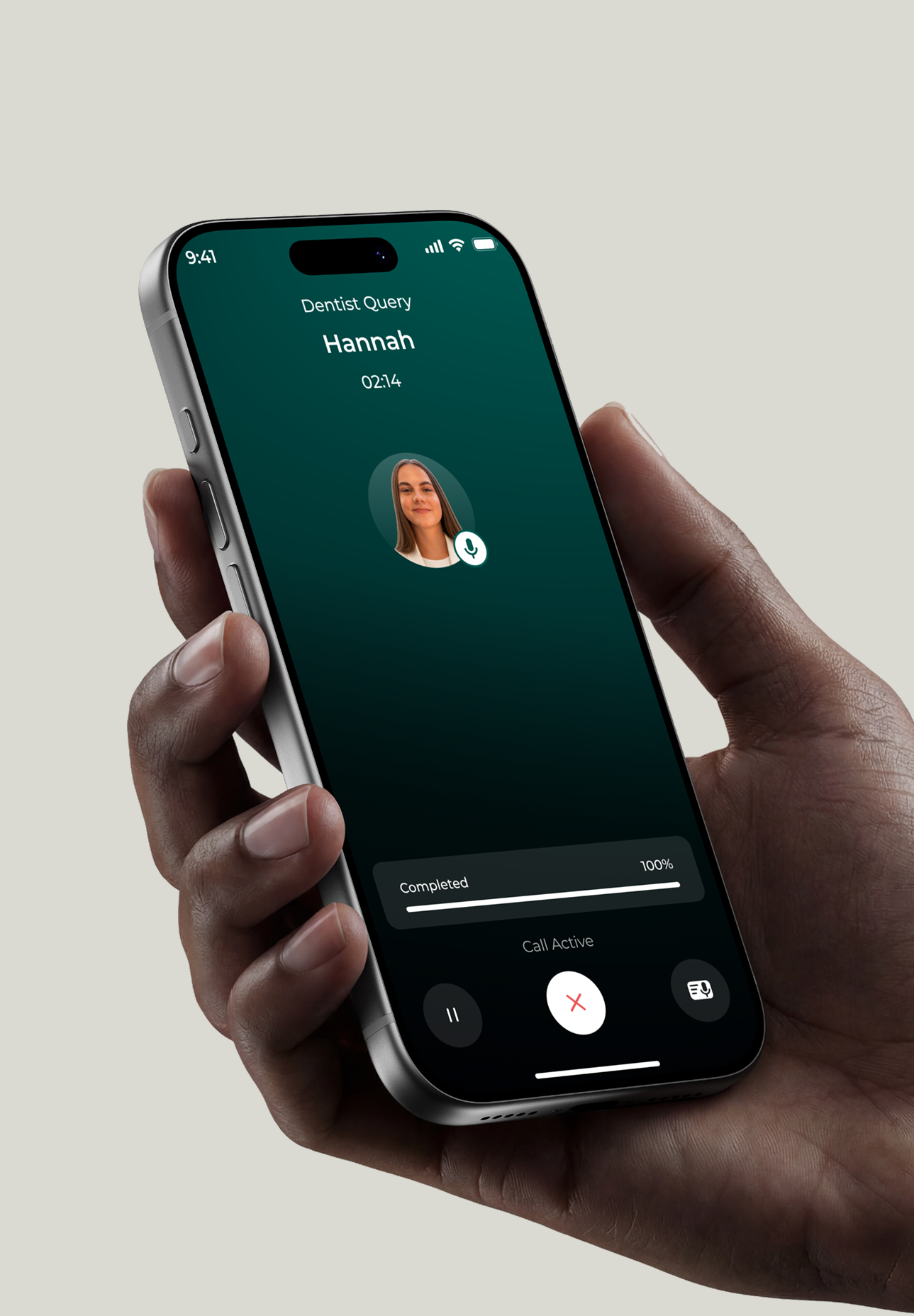
Enchat handles your inbound calls and WhatsApp enquiries end-to-end. It instantly answers questions, captures the right details, and routes each request to the next step - booking, payments, admin tasks, or human handover.
You get a single unified inbox, clean conversation history, the ability to take deposits and payments online and automatic summaries whenever a person needs to step in.
Enchat handles your inbound calls and WhatsApp enquiries end-to-end. It instantly answers questions, captures the right details, and routes each request to the next step - booking, payments, admin tasks, or human handover.
You get a single unified inbox, clean conversation history, the ability to take deposits and payments online and automatic summaries whenever a person needs to step in.
Try Enchat
As your customer

POWERED BY VEYCO
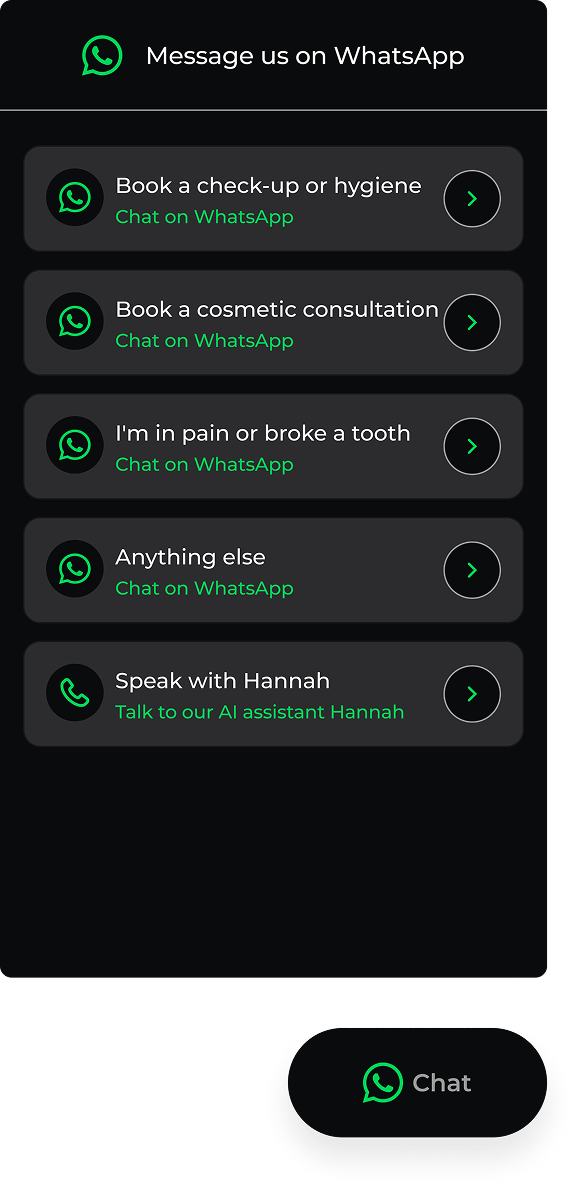
Customers don’t see “automation” - they just get a fast, professional reply. Enchat answers enquiries, captures key details, and either books, takes a deposit, or routes it to your team with a clean handover.
Click accept below and call our agent Donna for yourself.
Customers don’t see “automation” - they just get a fast, professional reply. Enchat answers enquiries, captures key details, and either books, takes a deposit, or routes it to your team with a clean handover.
BENEFITS
A complete automation
package
AI Voice agent
Whatsapp chat automation
Payment Processing
Unified Inbox
Lead Capture
Invoice Generation
Handover Summaries
Appt / booking creation
SERVICES
Everything Enchat can run for you
SERVICES
Everything Enchat can run for you

Intelligent Call Handling
Enchat answers calls instantly, captures the reason for contact, and logs structured notes with clear outcomes - so your team always knows what happened and what to do next.

Intelligent Call Handling
Enchat answers calls instantly, captures the reason for contact, and logs structured notes with clear outcomes - so your team always knows what happened and what to do next.

Intelligent Call Handling
Enchat answers calls instantly, captures the reason for contact, and logs structured notes with clear outcomes - so your team always knows what happened and what to do next.

WhatsApp Enquiries
Handle WhatsApp like a proper front desk: consistent responses, guided detail capture, and a tidy thread that’s easy for your team to search and pick up.

WhatsApp Enquiries
Handle WhatsApp like a proper front desk: consistent responses, guided detail capture, and a tidy thread that’s easy for your team to search and pick up.

WhatsApp Enquiries
Handle WhatsApp like a proper front desk: consistent responses, guided detail capture, and a tidy thread that’s easy for your team to search and pick up.

Bookings + Calendar/CRM Sync
Offer times, confirm appointments, and log the full context into your calendar or CRM - keeping records accurate without back-and-forth admin.

Bookings + Calendar/CRM Sync
Offer times, confirm appointments, and log the full context into your calendar or CRM - keeping records accurate without back-and-forth admin.

Bookings + Calendar/CRM Sync
Offer times, confirm appointments, and log the full context into your calendar or CRM - keeping records accurate without back-and-forth admin.

Payments + Invoices
Take deposits or payments when needed, confirm status, and send invoices/receipts automatically - so the customer can complete the step without waiting on your team.

Payments + Invoices
Take deposits or payments when needed, confirm status, and send invoices/receipts automatically - so the customer can complete the step without waiting on your team.

Payments + Invoices
Take deposits or payments when needed, confirm status, and send invoices/receipts automatically - so the customer can complete the step without waiting on your team.
PRICING
Enchat plans
Use our calculator below to help choose the plan that suits your companies needs, from standard to Enterprise, offering the right balance of features and value.


A one-time onboarding fee of £249 + VAT applies to all plans. For Enterprise customers, or those requiring custom integrations, an additional onboarding fee may apply - this will always be discussed and agreed in advance
.
Click accept below and call our agent Donna for yourself.
SEO Website
Add a Custom Built, SEO optimised website from £999
SEO Website
Add a Custom Built, SEO optimised website from £999
SEO Website
Add a Custom Built, SEO optimised website from £999
Features
Standard
Lead capture + job/booking summary
Multi-platform inbox (app + website)
Payments + invoices (via your CRM)
Enterprise
Handover summaries to your team
Multi-user teams + shared handover
Multi-platform inbox (app + website)
Payments + invoices (via your CRM)
Professional
Handover summaries to your team
Booking requests + callback scheduling
Multi-platform inbox (app + website)
Payments + invoices (via your CRM)
A one-time onboarding fee of £249 + VAT applies to all plans. For Enterprise customers, or those requiring custom integrations, an additional onboarding fee may apply - this will always be discussed and agreed in advance.
HELP CENTER
Your Guide to Quick Solutions
Explore our comprehensive Help Center for easy access to troubleshooting tips, FAQs, and step-by-step guides.
What is enchat?
Enchat is an automation service that handles your incoming enquiries from start to finish. It answers calls and messages, responds to common questions, captures key details, and routes each request to the right next step - whether that’s booking, payment, or collecting extra information. Everything stays organised in one unified inbox so your team has full visibility.
Can enchat book appointments for me?
Yes, enchat can take booking requests, confirm appointment details, and create the booking in your calendar or connected system based on your rules and availability. Customers receive confirmations automatically, and your team can review everything in the inbox.
Can enchat take payments and send invoices?
Yes, enchat can send payment links or take payments as part of the flow, then generate invoices/receipts and confirmations automatically. This is useful for deposits, appointment fees, or services that need payment before work begins.
How does enchat answer calls and messages?
Enchat replies instantly using an AI-powered agent trained on your business information and your preferred tone of voice. It can handle routine questions, gather the details you need, and guide customers through the next steps. If a request needs a human, enchat escalates it and provides a clear summary so your team can take over without starting again.
Can I connect enchat to my calendar or CRM?
Yes, enchat can sync bookings and captured customer details into your calendar or CRM so conversations don’t get lost across channels. If you already have a preferred system, let us know on our initial meeting, we'll configure enchat to fit your workflow rather than replacing what you use.
Is my customer data secure?
Enchat is built with GDPR regulations and client security in mind, only collecting what’s needed to handle client requests. Access is controlled, conversation history is stored temporarily for visibility and handover. If you have specific requirements (retention, access rules, or compliance needs), we can configure your setup accordingly.
HELP CENTER
Your Guide to Quick Solutions
Explore our comprehensive Help Center for easy access to troubleshooting tips, FAQs, and step-by-step guides.
What is enchat?
Enchat is an automation service that handles your incoming enquiries from start to finish. It answers calls and messages, responds to common questions, captures key details, and routes each request to the right next step - whether that’s booking, payment, or collecting extra information. Everything stays organised in one unified inbox so your team has full visibility.
Can enchat book appointments for me?
Yes, enchat can take booking requests, confirm appointment details, and create the booking in your calendar or connected system based on your rules and availability. Customers receive confirmations automatically, and your team can review everything in the inbox.
Can enchat take payments and send invoices?
Yes, enchat can send payment links or take payments as part of the flow, then generate invoices/receipts and confirmations automatically. This is useful for deposits, appointment fees, or services that need payment before work begins.
How does enchat answer calls and messages?
Enchat replies instantly using an AI-powered agent trained on your business information and your preferred tone of voice. It can handle routine questions, gather the details you need, and guide customers through the next steps. If a request needs a human, enchat escalates it and provides a clear summary so your team can take over without starting again.
Can I connect enchat to my calendar or CRM?
Yes, enchat can sync bookings and captured customer details into your calendar or CRM so conversations don’t get lost across channels. If you already have a preferred system, let us know on our initial meeting, we'll configure enchat to fit your workflow rather than replacing what you use.
Is my customer data secure?
Enchat is built with GDPR regulations and client security in mind, only collecting what’s needed to handle client requests. Access is controlled, conversation history is stored temporarily for visibility and handover. If you have specific requirements (retention, access rules, or compliance needs), we can configure your setup accordingly.
HELP CENTER
Your Guide to Quick Solutions
Explore our comprehensive Help Center for easy access to troubleshooting tips, FAQs, and step-by-step guides.
What is enchat?
Enchat is an automation service that handles your incoming enquiries from start to finish. It answers calls and messages, responds to common questions, captures key details, and routes each request to the right next step - whether that’s booking, payment, or collecting extra information. Everything stays organised in one unified inbox so your team has full visibility.
Can enchat book appointments for me?
Yes, enchat can take booking requests, confirm appointment details, and create the booking in your calendar or connected system based on your rules and availability. Customers receive confirmations automatically, and your team can review everything in the inbox.
Can enchat take payments and send invoices?
Yes, enchat can send payment links or take payments as part of the flow, then generate invoices/receipts and confirmations automatically. This is useful for deposits, appointment fees, or services that need payment before work begins.
How does enchat answer calls and messages?
Enchat replies instantly using an AI-powered agent trained on your business information and your preferred tone of voice. It can handle routine questions, gather the details you need, and guide customers through the next steps. If a request needs a human, enchat escalates it and provides a clear summary so your team can take over without starting again.
Can I connect enchat to my calendar or CRM?
Yes, enchat can sync bookings and captured customer details into your calendar or CRM so conversations don’t get lost across channels. If you already have a preferred system, let us know on our initial meeting, we'll configure enchat to fit your workflow rather than replacing what you use.
Is my customer data secure?
Enchat is built with GDPR regulations and client security in mind, only collecting what’s needed to handle client requests. Access is controlled, conversation history is stored temporarily for visibility and handover. If you have specific requirements (retention, access rules, or compliance needs), we can configure your setup accordingly.
Never miss a lead again.
More customers, less admin. Enchat handles customer enquiries across multiple channels, captures the details you need, and routes customers to the right outcome - booked, paid or handed over.


ABOUT US
An automated experience
Never miss a call, ever.
All of your client communication platforms, merged
into a single unified inbox.
Average opportunity cost to SmB's
annually from missed enquiries
£
£
,000
STEP
01
SETUP & CONNECT
Connect your channels
Link your phone number and WhatsApp. We map your FAQs, booking rules, and tone of voice so replies feel like your practice - not a generic bot.
STEP
02
ROUTE & CAPTURE
Qualify every enquiry
EnChat asks the right questions, captures key details, and tags urgency. Every lead is logged with context so nothing disappears into missed calls or scattered messages.
STEP
03
BOOK & CONFIRM
Automate bookings and reminders
Appointments can be created in your calendar or CRM automatically. EnChat sends confirmations, reminders, and follow-ups to reduce no-shows and admin chasing.
STEP
04
CONTROL & HANDOVER
One inbox, with human takeover
Manage everything from one timeline. When something unusual comes in, your team can take over instantly - with a clean summary of what happened so far.
STEP
01
SETUP & CONNECT
Connect your channels
Link your phone number and WhatsApp. We map your FAQs, booking rules, and tone of voice so replies feel like your practice - not a generic bot.
STEP
02
ROUTE & CAPTURE
Qualify every enquiry
EnChat asks the right questions, captures key details, and tags urgency. Every lead is logged with context so nothing disappears into missed calls or scattered messages.
STEP
03
BOOK & CONFIRM
Automate bookings and reminders
Appointments can be created in your calendar or CRM automatically. EnChat sends confirmations, reminders, and follow-ups to reduce no-shows and admin chasing.
STEP
04
CONTROL & HANDOVER
One inbox, with human takeover
Manage everything from one timeline. When something unusual comes in, your team can take over instantly - with a clean summary of what happened so far.
STEP
01
SETUP & CONNECT
Connect your channels
Link your phone number and WhatsApp. We map your FAQs, booking rules, and tone of voice so replies feel like your practice - not a generic bot.
STEP
02
ROUTE & CAPTURE
Qualify every enquiry
EnChat asks the right questions, captures key details, and tags urgency. Every lead is logged with context so nothing disappears into missed calls or scattered messages.
STEP
03
BOOK & CONFIRM
Automate bookings and reminders
Appointments can be created in your calendar or CRM automatically. EnChat sends confirmations, reminders, and follow-ups to reduce no-shows and admin chasing.
STEP
04
CONTROL & HANDOVER
One inbox, with human takeover
Manage everything from one timeline. When something unusual comes in, your team can take over instantly - with a clean summary of what happened so far.
STEP
01
SETUP & CONNECT
Connect your channels
Link your phone number and WhatsApp. We map your FAQs, booking rules, and tone of voice so replies feel like your practice - not a generic bot.
STEP
02
ROUTE & CAPTURE
Qualify every enquiry
EnChat asks the right questions, captures key details, and tags urgency. Every lead is logged with context so nothing disappears into missed calls or scattered messages.
STEP
03
BOOK & CONFIRM
Automate bookings and reminders
Appointments can be created in your calendar or CRM automatically. EnChat sends confirmations, reminders, and follow-ups to reduce no-shows and admin chasing.
STEP
04
CONTROL & HANDOVER
One inbox, with human takeover
Manage everything from one timeline. When something unusual comes in, your team can take over instantly - with a clean summary of what happened so far.
How does it work?
Enchat handles your inbound calls and WhatsApp enquiries end-to-end. It instantly answers questions, captures the right details, and routes each request to the next step - booking, payments, admin tasks, or human handover.
You get a single unified inbox, clean conversation history, the ability to take deposits and payments online and automatic summaries whenever a person needs to step in.
Try Enchat
As your customer

POWERED BY VEYCO
Customers don’t see “automation” - they just get a fast, professional reply. Enchat answers enquiries, captures key details, and either books, takes a deposit, or routes it to your team with a clean handover.
BENEFITS
A complete automation
package
AI Voice agent
Whatsapp chat automation
Payment Processing
Unified Inbox
Lead Capture
Invoice Generation
Handover Summaries
Appt / booking creation
SERVICES
Everything Enchat can run for you

Intelligent Call Handling
Enchat answers calls instantly, captures the reason for contact, and logs structured notes with clear outcomes - so your team always knows what happened and what to do next.

WhatsApp Enquiries
Handle WhatsApp like a proper front desk: consistent responses, guided detail capture, and a tidy thread that’s easy for your team to search and pick up.

Bookings + Calendar/CRM Sync
Offer times, confirm appointments, and log the full context into your calendar or CRM - keeping records accurate without back-and-forth admin.

Payments + Invoices
Take deposits or payments when needed, confirm status, and send invoices/receipts automatically - so the customer can complete the step without waiting on your team.
PRICING
Enchat plans
Use our calculator below to help choose the plan that suits your companies needs, from standard to Enterprise, offering the right balance of features and value.


A one-time onboarding fee of £249 + VAT applies to all plans. For Enterprise customers, or those requiring custom integrations, an additional onboarding fee may apply - this will always be discussed and agreed in advance
.
SEO Website
Add a Custom Built, SEO optimised website from £999
SEO Website
Add a Custom Built, SEO optimised website from £999
Features
Standard
Lead capture + job/booking summary
Multi-platform inbox (app + website)
Payments + invoices (via your CRM)
Enterprise
Handover summaries to your team
Multi-user teams + shared handover
Multi-platform inbox (app + website)
Payments + invoices (via your CRM)
Professional
Handover summaries to your team
Booking requests + callback scheduling
Multi-platform inbox (app + website)
Payments + invoices (via your CRM)
A one-time onboarding fee of £249 + VAT applies to all plans. For Enterprise customers, or those requiring custom integrations, an additional onboarding fee may apply - this will always be discussed and agreed in advance.
HELP CENTER
Your Guide to Quick Solutions
Explore our comprehensive Help Center for easy access to troubleshooting tips, FAQs, and step-by-step guides.
What is enchat?
Enchat is an automation service that handles your incoming enquiries from start to finish. It answers calls and messages, responds to common questions, captures key details, and routes each request to the right next step - whether that’s booking, payment, or collecting extra information. Everything stays organised in one unified inbox so your team has full visibility.
Can enchat book appointments for me?
Yes, enchat can take booking requests, confirm appointment details, and create the booking in your calendar or connected system based on your rules and availability. Customers receive confirmations automatically, and your team can review everything in the inbox.
Can enchat take payments and send invoices?
Yes, enchat can send payment links or take payments as part of the flow, then generate invoices/receipts and confirmations automatically. This is useful for deposits, appointment fees, or services that need payment before work begins.
How does enchat answer calls and messages?
Enchat replies instantly using an AI-powered agent trained on your business information and your preferred tone of voice. It can handle routine questions, gather the details you need, and guide customers through the next steps. If a request needs a human, enchat escalates it and provides a clear summary so your team can take over without starting again.
Can I connect enchat to my calendar or CRM?
Yes, enchat can sync bookings and captured customer details into your calendar or CRM so conversations don’t get lost across channels. If you already have a preferred system, let us know on our initial meeting, we'll configure enchat to fit your workflow rather than replacing what you use.
Is my customer data secure?
Enchat is built with GDPR regulations and client security in mind, only collecting what’s needed to handle client requests. Access is controlled, conversation history is stored temporarily for visibility and handover. If you have specific requirements (retention, access rules, or compliance needs), we can configure your setup accordingly.